

A quick article on how to set a password using the database tools for super users.
Why?
It happens to us all, especially me. I like to use different passwords for every site but this came up as a client had lost their super user password.
How?
This method is reliant on having access to the database of your Joomla website.
Method #1: Quickest way I know
This is based on if you have another user account (registered or administrator, any) with a password known to you (create a new joomla user if necessary).
The gist:
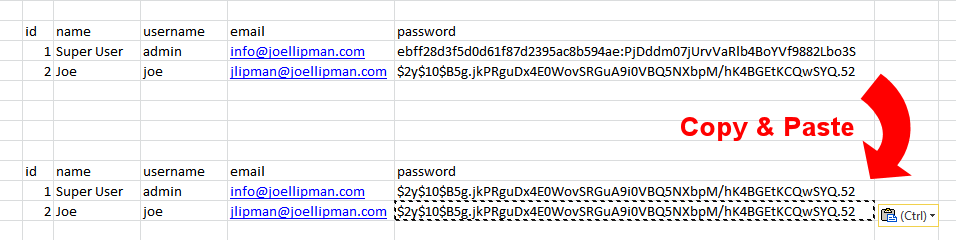
- Login to your Joomla database
- Go to the #__users database table (where #_ is the prefix to your joomla tables)
- Find the column password and the row of your known user and Copy the text there
- Find the row of your forgotten user and Paste the text there.
- Test by logging in as the forgotten user
- Done
Category: Joomla :: Article: 513







