Zoho Survey & Zoho Analytics: Query to generate individual responses and grouped pages
- Category: Zoho Analytics
- Hits: 30022
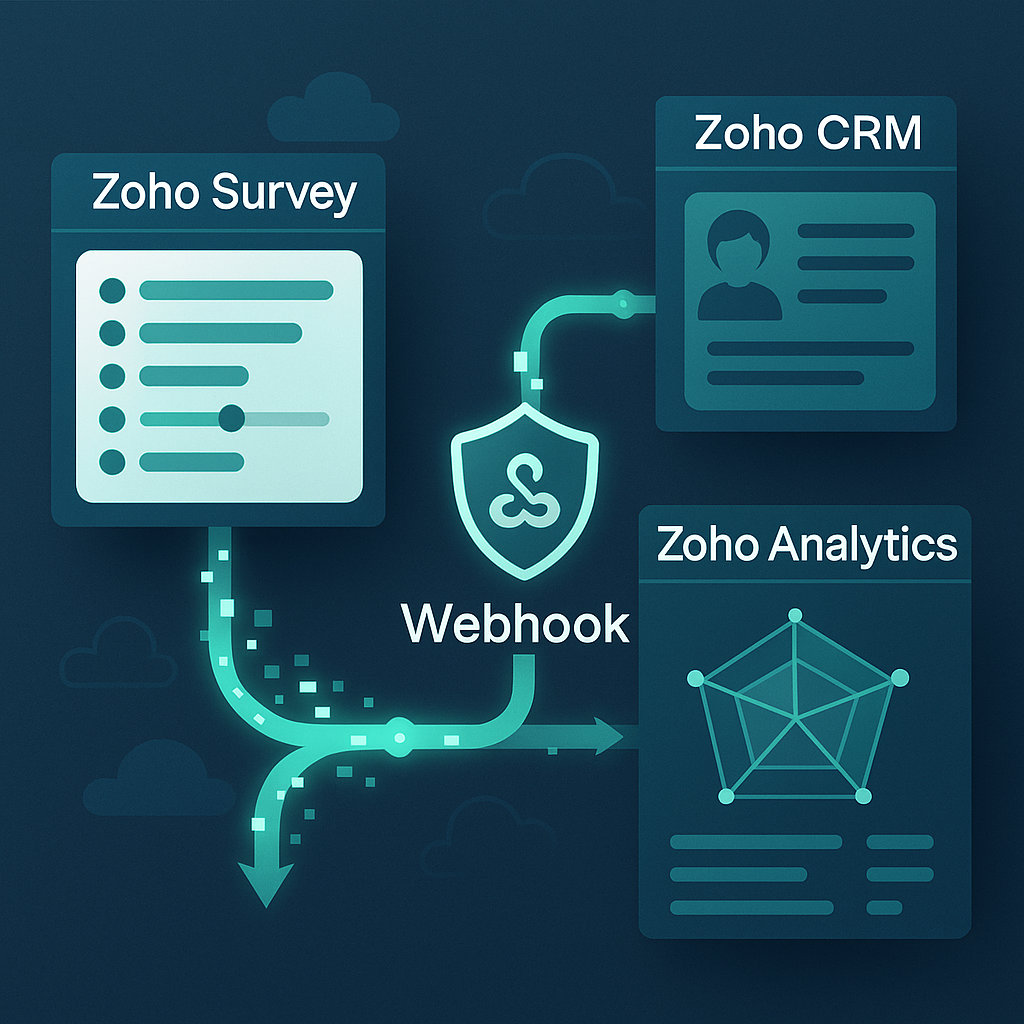
An article on some Zoho ANSI-SQL (in other words, queries that work in Zoho Analytics) as I couldn't find any examples online on how to do this.
Why?
I've been tasked with generating a radar/spider/web chart based on the results from a survey. Apparently this will be done in Zoho Analytics.
The Brief:
We would like the survey data to be generated as a chart and embedded in a PDF brochure we send out to our customers...
How?
Well fulfilling the brief (whether it's the right tool for the job is a different issue), let us synchronize Zoho Surveys into Zoho Analytics. I found I need to edit the setup of the sync every time a new survey is added... but at least it lets me synchronize every hour.
Then I'll write the SQL queries to get the individual responses into a table with labels and columns that can help me group them (and identify which responses belong to which survey attempts).
Then I'll write the SQL to sum up the responses per page per survey attempt.
Finally, I'll see if analytics can be used to generate the radar chart.
Zoho Analytics: Create a Monitoring System with Images
- Category: Zoho Analytics
- Hits: 48812
This is an article to remind me how I did this for a customer and images help visualize the health of the system.
Why?
The use-case here is to build a system which monitors a Zoho App for when records were last modified and if a synchronization process starts to fail, there should be images or icons warning or advising of failures.
How?
The key trick to use here the ability for Zoho Analytics to display different images based on a criteria or a value within a data table. As documented in an earlier article, put the URL of the image, then change it's format to show the image and not the URL text. In this example, we are using images uploaded in the Zoho Analytics image library but you would need images either uploaded in Analytics or a publicly accessible image without a user wall.
Zoho Analytics & Zoho People: Monitor DataSource Sync
- Category: Zoho Analytics
- Hits: 33032
A quick article on how to setup an automation that checks if a datasource synchronization between Zoho People and Zoho Analytics failed. This can be adapted to any data source for Zoho Analytics.
Why?
We're assisting a client implement Zoho People as their new HR solution. Zoho Analytics is used to generate specific spreadsheets for a feed into their third-party payroll system. If the data is incorrect in Zoho Analytics, and payroll gets run with these discrepancies, then they will have a fair few disgruntled employees who may have been paid incorrectly. As such this system has to be reliable and the system managers need to be notified in advance of any errors with the intention to be able to correct any inconsistencies themselves.
How?
We're going to add a scheduled workflow on a daily basis at 1am in the morning every day. This will be added to the client's Zoho People instance which will check the datasource metadata via the Analytics API.
ZohoAnalytics: Pivot Campaigns vs Contacts
- Category: Zoho Analytics
- Hits: 19379
A very quick article of a quick solution but at least a working example of an ANSI-SQL (ZohoSQL) query pivoting campaign results vs contacts.
Why?
Simply the client wanted a report on customers on each row and then the campaigns as columns.
What we want:
Contact Name Lead Source Campaign 1 Campaign 2 Campaign 3 ---------------- --------------- -------------- -------------- -------------- Joel Google Ads Accepted Invited Sent Me Web Invited Accepted Sent Myself Walk-In Accepted Sent InvitedThe catch is that our campaign names are in data rows not individual columns.
How?
There may be ways of doing this using the GUI and a "Pivot View" report but I always resort to a query when I get confused with the GUI:
Zoho Analytics: Determine profits from invoices and purchase orders
- Category: Zoho Analytics
- Hits: 39096
An article on the reasoning and steps to generate a dataset using Zoho's ANSI-SQL queries to generate the margins of each invoice in ZohoBooks.
Why?
We need to create a profits/losses dashboard in Zoho Analytics as we can't control the out-of-the-box PNL report that comes with Zoho Books. We needed a dataset that took into account "Delivery" as a separate line item on the purchase order.
I'm writing this article as it had gone through several partners before us and even Zoho themselves without a solution. This took my team the best part of two months to find a solution.
How?
Disclaimer! There may be many ways of doing this, this is just one way that we used that worked for 90% of the invoices. There are invoices that may be associated to sales orders changed after being confirmed or missing associated purchase orders altogether.
Zoho Analytics: Set Up a Widget Displaying Sales Person
- Category: Zoho Analytics
- Hits: 20499
A quick article to display a value in a column in a widget in Zoho Analytics.
Why?
Because I keep forgetting how to do it.
How?
I've done this for a query that amalgamated all the deals against a deal owner and needed to repeat this for all the invoices against a sales person.
It adds to the effect on loading the page that a widget has clearly defined values based on the filters I select on a dashboard.
Zoho Analytics: Setup DataSource via FTP Connection
- Category: Zoho Analytics
- Hits: 25186
So this is going to be an article with a bunch of pictures showing step-by-step of how I setup a recurring data source in Zoho Analytics via FTP.
Why?
The use-case here is that I have a client who wants to import data via FTP (SFTP - to be precise) and have this available to their Zoho apps. My aim(s) are:
- Setup recurring FTP connection.
- Make data readily available to ZohoCRM.
How?
Well, let's setup the FTP connection first in Zoho Analytics:
Recent Posts
Joes Word Cloud
Accreditation
Donate & Support
If you like my content, and would like to support this sharing site, feel free to donate using a method below:

bc1qf6elrdxc968h0k673l2djc9wrpazhqtxw8qqp4
0xb038962F3809b425D661EF5D22294Cf45E02FebF
Paypal:

Bitcoin:
bc1qf6elrdxc968h0k673l2djc9wrpazhqtxw8qqp4
Ethereum:
0xb038962F3809b425D661EF5D22294Cf45E02FebF
Credit where Credit is Due:
Feel free to copy, redistribute and share this information. All that we ask is that you attribute credit and possibly even a link back to this website as it really helps in our search engine rankings.
Disclaimer: Please note that the information provided on this website is intended for informational purposes only and does not represent a warranty. The opinions expressed are those of the author only. We recommend testing any solutions in a development environment before implementing them in production. The articles are based on our good faith efforts and were current at the time of writing, reflecting our practical experience in a commercial setting.
Thank you for visiting and, as always, we hope this website was of some use to you!
Kind Regards,
Joel Lipman
www.joellipman.com