

So this is a quick article to demo how to center an iframe horizontally and vertically in a screen/viewport in pure CSS (no JavaScript allowed). This CSS centers it by its center point rather than the top/bottom/left/right outline.
Why?
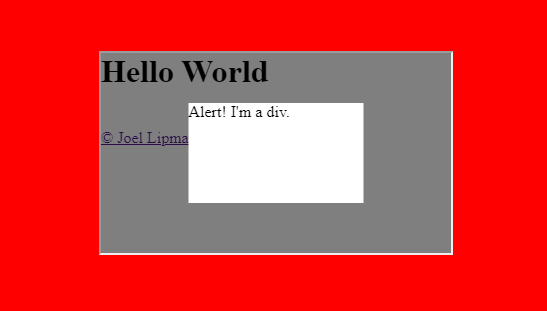
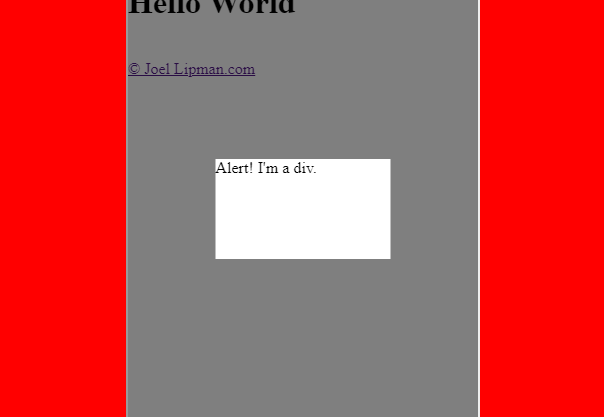
On a mobile, a client's site uses an external page embedded by iframe. When the app within the iframe has an alert message, it popups a div at the centre of its app. The alert message is always at the center of the iframe but if the iframe has a height of 2000 pixels, the iframe gets aligned to the top of the parent...
How?
We're going to use a touch of CSS and instead of determining heights and alignment with JS. The following code will work with DIV layers but in this case, also works on iframes:
HTML:
copyraw
<html>
    <head>
        <title>Horizontally and Vertically Centered Iframe</title>
    </head>
    <body>
        <iframe src="https://www.joellipman.com/examples/html/modal.html" width="350" height="2000"></iframe>
    </body>
</html>
- <html>
- <head>
- <title>Horizontally and Vertically Centered Iframe</title>
- </head>
- <body>
- <iframe src="https://www.joellipman.com/examples/html/modal.html" width="350" height="2000"></iframe>
- </body>
- </html>
CSS:
copyraw
body {
    background:red;
}
iframe {
    position: fixed;
    top: 50%;
    left:50%;
    transform: translate(-50%, -50%);
}
- body {
- background:red;
- }
- iframe {
- position: fixed;
- top: 50%;
- left:50%;
- transform: translate(-50%, -50%);
- }
DEMO:
See my JSFiddle demo: https://jsfiddle.net/Jlipman/u5sew3ob/21
and modify the height of the iframe then click on 'Run'. The iframe is always centered even if the top is off screen.
Category: Cascading Stylesheets :: Article: 764