
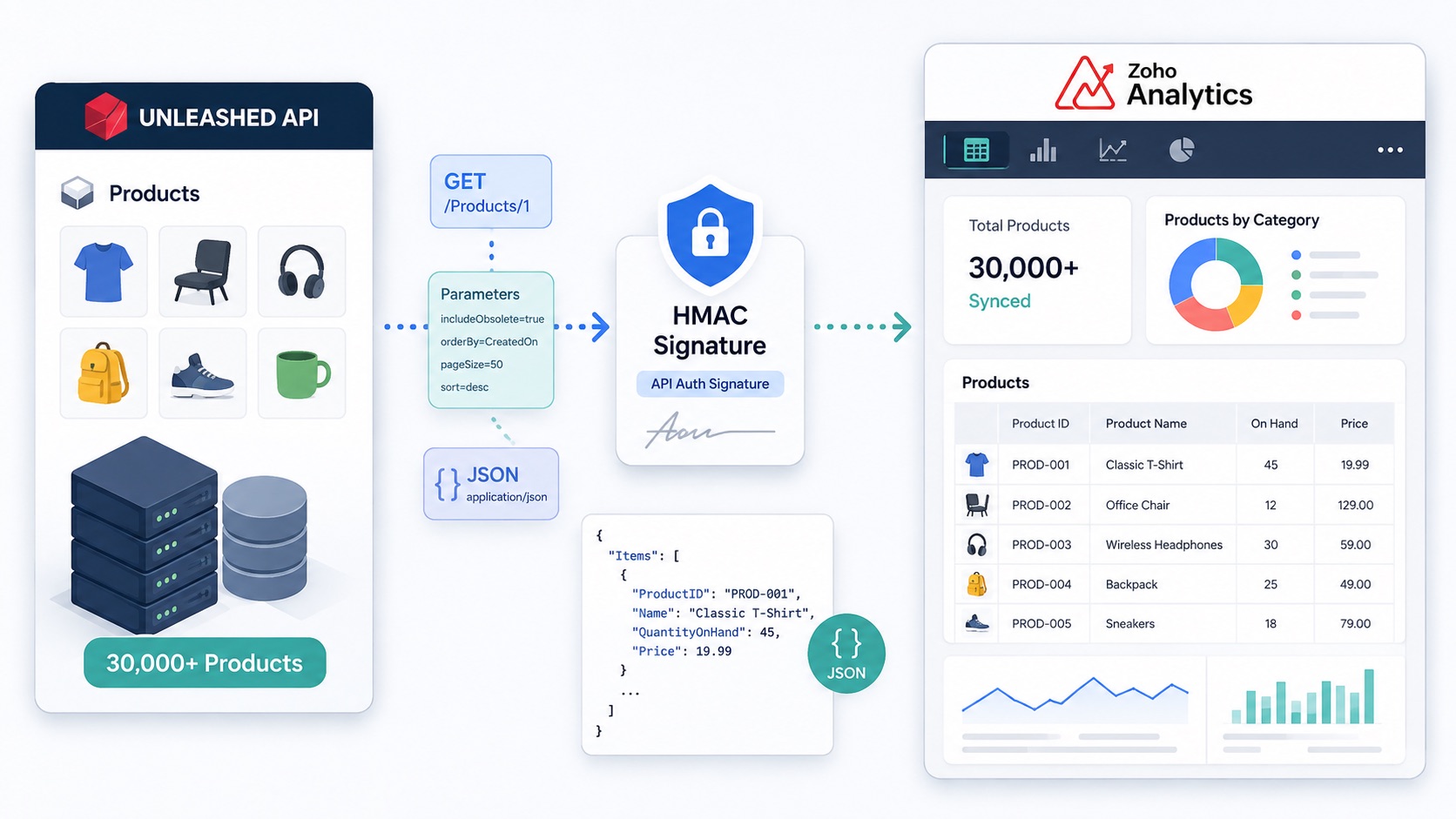
Thought I'd write an article to help me the next time I needed to connect the Unleashed inventory software API directly to Zoho Analytics and pull in the product catalogue.
Why?
In this case the client had over 30,000 products in Unleashed, with the possibility of several thousand products being updated at once from an Excel import.
I originally had a Zoho CRM function calling the Unleashed Products API, but this was limited by the CRM function execution time. Keeping the request size small enough to respond reliably meant pulling around 50 products at a time, which was not practical for a catalogue of this size.
Zoho Analytics can connect directly to a Web URL and import JSON, so the better approach was to let Analytics retrieve the product data directly from Unleashed.
How?
Unleashed requires an HMAC-SHA256 authentication signature generated from the exact query string being sent to the API.
I used the following small Zoho CRM function to generate the signature:
copyraw
string standalone.fn_Unleashed_GenerateSignature(int p_PageSize)
{
	v_ApiKey = "YOUR_UNLEASHED_API_KEY";

	v_Params = "includeObsolete=true&orderBy=CreatedOn&pageSize="+p_PageSize+"&sort=desc";

	v_ApiSignature = zoho.encryption.hmacsha256
	(
		v_ApiKey,
		v_Params,
		"base64"
	);

	return v_ApiSignature;
}
- string standalone.fn_Unleashed_GenerateSignature(int p_PageSize)
- {
- v_ApiKey = "YOUR_UNLEASHED_API_KEY";
- v_Params = "includeObsolete=true&orderBy=CreatedOn&pageSize="+p_PageSize+"&sort=desc";
- v_ApiSignature = zoho.encryption.hmacsha256
- (
- v_ApiKey,
- v_Params,
- "base64"
- );
- return v_ApiSignature;
- }
The parameter order is important. The string used to generate the signature needs to match the order in which Zoho Analytics sends the query parameters.
In Zoho Analytics, create a new table using Import Data from Web URL and use the following settings:
copyraw
File Type:
JSON

URL:
https://api.unleashedsoftware.com/Products/1

Method:
GET

Authentication Type:
None
- File Type:
- JSON
- URL:
- https://api.unleashedsoftware.com/Products/1
- Method:
- GET
- Authentication Type:
- None
Add the following headers:
copyraw
Accept                  application/json
Content-Type            application/json
api-auth-id             YOUR_UNLEASHED_API_ID
api-auth-signature      YOUR_GENERATED_SIGNATURE
client-type             yourcompany/productsync
- Accept application/json
- Content-Type application/json
- api-auth-id YOUR_UNLEASHED_API_ID
- api-auth-signature YOUR_GENERATED_SIGNATURE
- client-type yourcompany/productsync
Then add the following parameters:
copyraw
includeObsolete         true
orderBy                 CreatedOn
pageSize                2000  (the p_PageSize you specified in the function to generate the signature)
sort                    desc
- includeObsolete true
- orderBy CreatedOn
- pageSize 2000 (the p_PageSize you specified in the function to generate the signature)
- sort desc
If Zoho Analytics changes the order of the parameters (at time of print it was sorting them alphabetically), regenerate the signature using that same order. An incorrect signature will normally result in a 403 response from the Unleashed API.
Once the connection is accepted, Zoho Analytics can import the returned JSON directly into a table. The Unleashed Products response contains the product records in the
Items collection.For larger catalogues, use pagination rather than trying to request the full product list in a single API call. Unleashed supports the page number in the URL path, for example:
copyraw
https://api.unleashedsoftware.com/Products/1
https://api.unleashedsoftware.com/Products/2
https://api.unleashedsoftware.com/Products/3
- https://api.unleashedsoftware.com/Products/1
- https://api.unleashedsoftware.com/Products/2
- https://api.unleashedsoftware.com/Products/3
This allows the product catalogue to be retrieved in manageable batches without relying on a long-running Zoho CRM function.
Caveat(s)
- If you have over 10000 then you need to upgrade from Free to the Basic Zoho Analytics plan
- If you want more than 1 sync per day you need to upgrade to the Standard Zoho Analytics plan
Source Log Work:
Category: Zoho Analytics :: Article: 1727