This is an article resolving an issue where a template will shrink all the text when in PDF preview.
Why?
Ok doesn't need a song and dance about it, but I went home yesterday downtrodden by an issue which I'd been working on for most of the day where I would remove all the styling and the text would still appear small. Sure I resized the text to about 46pt and everything was over 3000px in width but this is not good for a final solution. I thought maybe there was a setting for the default font size or where I've accidentally zoomed out in the browser... but these were red herrings as I have other templates that work fine.
How?
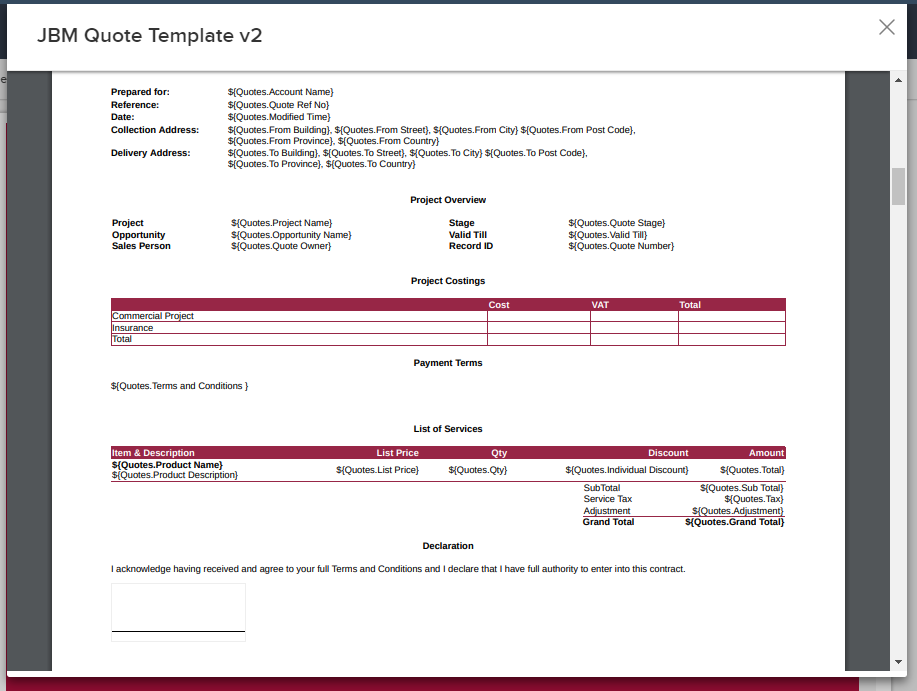
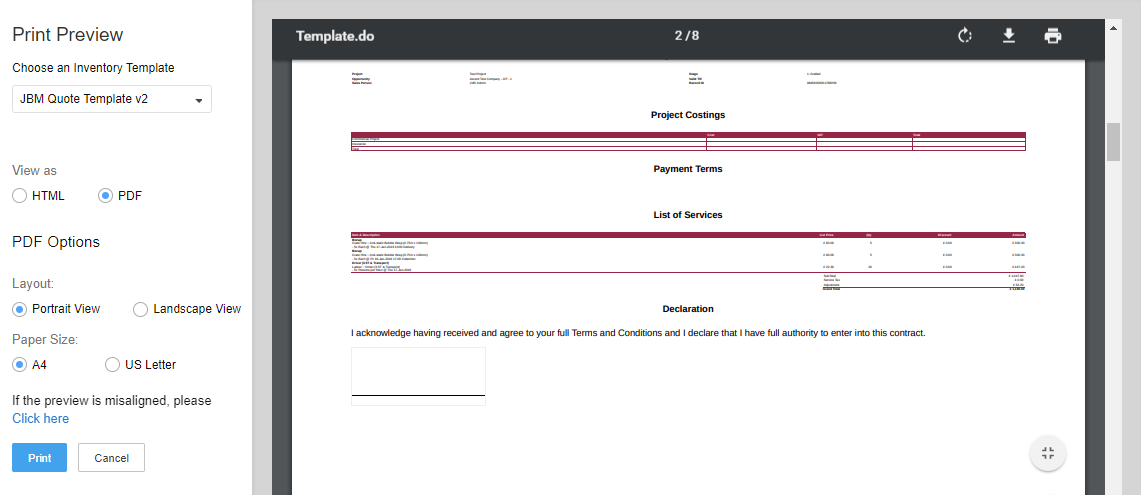
The error is one of those that you wouldn't consider relevant in this case, after all, all styling was removed... Here are two screenshots to demonstrate the issue:
Screenshot #1:
This screenshot is of the PDF preview of my HTML code where I've had to set the font size to 46pt throughout the template:
Screenshot #2:
This screenshot is of the PDF preview of my HTML code where I've selected a quote and applied a template to it:
The Solution
After removing all styling, taking away classes and ID fields that might have been reserved for Zoho rendering (which did nothing to fix this problem), I found the cause of all the pain. I was setting a cover page (as per the client's requirements) with a background image and the logo floating over it at the center of the page as well as a logo fixed to the header of every page. The logo image was quite a big image at 2501x805 pixels. By resizing it to the final output size (464x99 pixels), cropping out excess whitespace, and re-uploading this fixed the problem.
Step #1
Remove any images that you uploaded to Zoho and you've included in your HTML — this will be something like img src="https://crm.zoho.com/viewInLineImage?fileContent=<a_very_long_hexadecimal_string>: You should find your code now previews at a normal font size.
Step #2
Create your template without uploading images and style with your CSS.
Step #3
Resize the images with a separate program that you want to use in the template and try to set them to the size that they will print out in. Then re-upload them noting the SRC of the image so that you can position it as per your requirements.
That should do it....
The Gist
Don't load in images bigger than an A4 sheet...
Additional Notes
I found that some classes are reserved words used by the Zoho built-in renderer. I am making a list here to see if that helps:
- Wrapping all your HTML in <div id="container">: Ok it's used in bootstrap and few other frameworks so this should be obvious, but for some reason the header and footer of my code set with CSS {position:fixed} won't display on the first/cover page if I wrap the code in a DIV with ID = container and have an image which covers them both... Which is an unintended but desired effect.
- Class .page: I actually like using this class because it's pretty descriptive. Unfortunately setting the width/height in cm was causing havoc to my template. Specifying only a font-size, font-family, margins and page-break-after was pretty much the only change I can do to this class.
Category: Zoho CRM :: Article: 232