

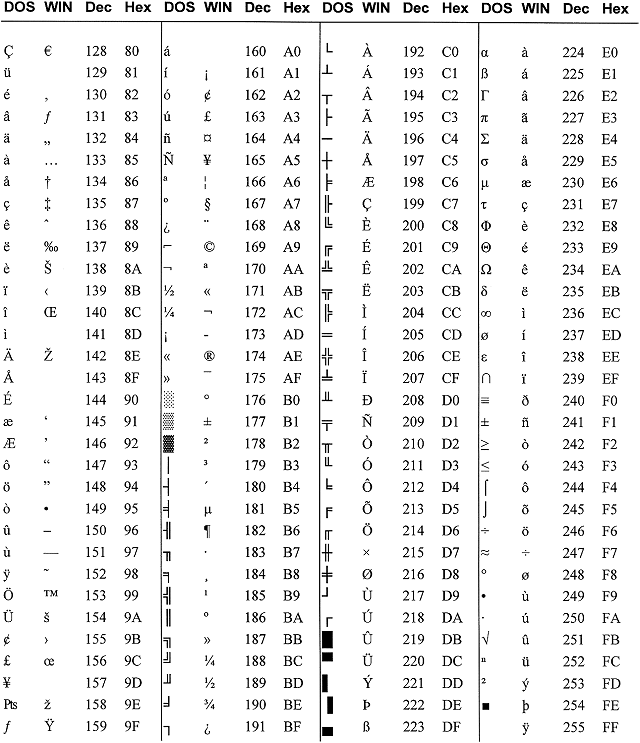
Typing an ASCII character
- In DOS:
- Hold down the <Alt> key while typing the decimal number on the keyboard keypad. (Example: <Alt>178)
- In Windows for a DOS character:
- Hold down <Alt> while typing the decimal on the keyboard keypad. (Example: <Alt>230)
- In Windows for a WIN character:
- Hold down <Alt> while typing "0" then the decimal number on the keyboard keypad. (Example: <Alt>0140)
Category: Windows OS :: Article: 636