

Display Feeds to major Social Networks
- Category: Web-Development
- Hits: 28310
A quick article on how I displayed feeds from the company's social network pages in one page.
Why?
There are 3rd-party apps that let you do this, some paid, some not. This was for a staff portal so I wanted this at no extra cost. This is read-only so actual editing of the feed would be done on the respective social network's site.
How:
This simply displays the feed... (no write back)
List of Font Awesome
- Category: Web-Development
- Hits: 17208
I needed to use these in a template I was working on. Font awesome is a brilliant tool for webdevelopers who want icons that can be any size of any color without compromising on image quality or overhead maintenance. It's basically a font set that has all the icons you would want in a modern website design.
How?
To use this list, you can either:
- Copy the font files to your template folder (my preference) and add the linked stylesheet in the head section of your webpage. I'm selective of what icons I copy over but the full directory can be found at https://github.com/FortAwesome/Font-Awesome:
<link rel="stylesheet" href="/path/to/font-awesome/css/font-awesome.min.css">
- OR add the linked stylesheet to the head section of your webpage
<link rel="stylesheet" href="https://maxcdn.bootstrapcdn.com/font-awesome/4.4.0/css/font-awesome.min.css">
<i class="fa fa-facebook-square"></i> My facebook social iconFurther examples are on the following site at https://fortawesome.github.io/Font-Awesome/examples/.
The List
This is a copy of the cheat sheet version 4.4. If some icons don't appear on this page, it is because I have only copied over some of the entire directory (the icons I want to use).
What's the problem? Amusing computer issues
- Category: Web-Development
- Hits: 82349
If you're not an IT person, you may want to avoid reading the rest of this article in case you're easily offended. It's just an amusing stab at customers computer issues. Note that most of the below were remote support jobs so we weren't there in person and could only see the users screen.
Three Webdevelopers phone in to say their computers can't view a website properly
"Can someone have a look at our computers because we recently received the new corporate template for our website and it's not displaying properly on my colleague's computers". [Priority 1]
What's a web guru?
Well this might be obvious to some but these are self-proclaimed highly qualified web-gurus in the marketing department. They'd paid around £150,000 for a template designed by a 3rd-party company. Received the zip and uploaded it to their homepage. The 3rd-party company had obviously designed the template to work in one browser only: Internet Explorer version 7. The marketing web-gurus were simply using different browsers. The project leader was on IE7, while their designer was on an Apple Mac using Safari, and a third was using Mozilla Firefox. We told them to go back to the template providers and report the same problem to them...???
Staff member requiring access to a secure application
"So that's all installed for you. I just need you to restart your computer now and tell me when that's done.".
"I've done what you said but it's still not working".
"From my logs, you haven't restarted this machine in a while.".
"No I definitely log off every evening and then back on again".
"You mean you log back on in the morning?"
"No it takes so long in the morning, this is quicker".
Explained how logoff is not the same thing as restart and reminded on both IT and environmental policies. Tech Notes: For PCs: Run a command prompt and type systeminfo: Look for "System Up Time".
A staff member in a partner institution:
"By the way my printer has stopped working, in fact it hasn't been working for ages, could you also look at that".
"Is there a power light on when you switch it on?".
"Yes it's definitely plugged in if that's what you're asking.".
"Is it a networked printer, I mean is there a cable that directly connects the printer to your computer or does the printer plug into the wall? Ok could you please follow the cable from the computer to the printer and tell me.".
"Hang on its on the other side of the room.".
This was a remote support job over the phone. The discussion above was after installing drivers and setting up the workstation with updates etc. as per our standard image. The printer was connected via three usb extension cables. The middle one wasn't connected to anything on either end.
What not to say to IT
"Hi could you find <staff_name> and tell them to unlock the record they are viewing".
"Oh that person isn't at work today".
"Well someone on that computer has locked a database record.".
"Well my colleague who's using that computer is in a meeting but I can login and do this for you".
IT Policy: Do not share passwords. It defeats the whole purpose!
A media student:
"My computer has swallowed my CD-Rom, I put in the disk but when I eject the CD there's nothing in there!".
I can't really have a go at customers as it took 4 IT technicians deliberating over 30 minutes (remote support so we weren't there in person): The computer had two CD-Roms. The user put the disc in one of the drives but was pressing eject on the second drive.
Like these? Share your experiences as comments below :)
Welcome to my website!
- Category: Web-Development
- Hits: 55992
My name is Joe. I like to think of myself as a web-developer but then I like to get involved with anything related to computers. I've been writing websites and scripts commercially since 1997 and I'm using this website to store notes as I go along.
I specialise in taking over incomplete and/or bespoke systems which have little or no documentation. I like workarounds and solutions and persist in the knowledge that anything is possible, I only have to believe. I tend to write about issues that the rest of the crowd so easily give up on.
I am usually available for consultation and short term projects. If you think I can help you and your website then feel free to get in touch using my contact form.
Thanks for visiting! I hope this website is, as always, of some use to you!
301 Redirect using htaccess file
- Category: Web-Development
- Hits: 21442
There are a lot of articles & posts out there that cover the same topic, but as this took me the good part of an hour just to find out, I'm posting it here so I never have to look for it again.
A client changed their website domain address and wanted any person visiting the old domain to be redirected to the new domain.
Why?
I warned that a 301 site gets removed from the Google directory and true to form Google have removed it. Not sure why nobody believed me when I raised the alarm but hey-ho.
How?
I'm going to show you how to do this with a .htaccess file:
A picture of the Internet
- Category: Web-Development
- Hits: 18099
Just a pretty picture on how hackers have created an infographic of the internet:
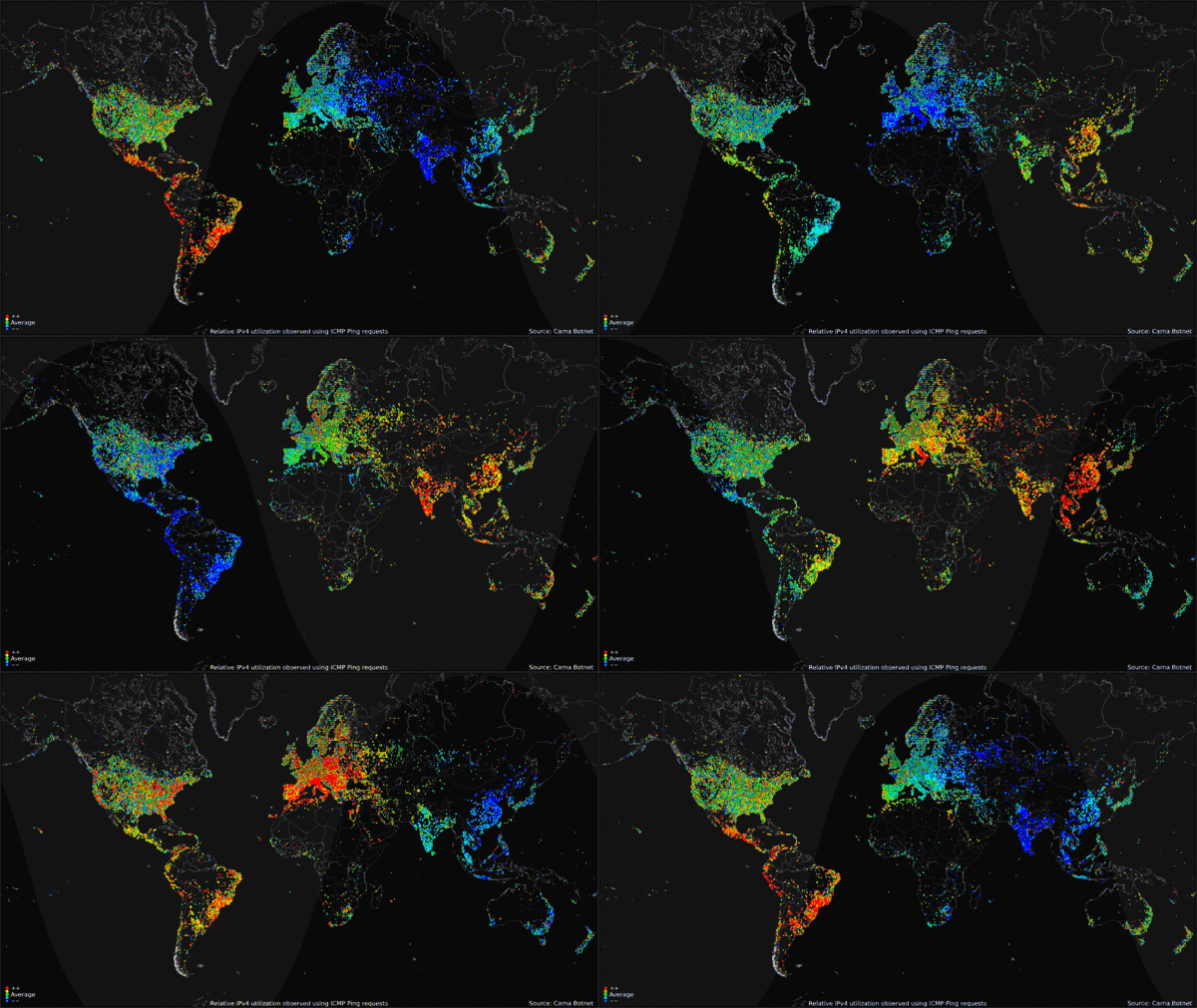
Source: BitBucket.Org - Internet Census 2012
Live WebCam feed of Bournemouth
- Category: Web-Development
- Hits: 20915
So having moved desk from one side of the room to another, I have lost my view of the sea. Oh well, this is where technology has come to the rescue and returned my calming view...
Note: I think this is running in British Summer Time (BST) rather than GMT or it's clock is seriously off. Otherwise it's a picture from the future (see photo timestamps).

Project Plan for Freelance Website
- Category: Web-Development
- Hits: 89373
I could apply the PRINCE2 (Projects in a controlled environment) methodology to website projects but most people find this overwhelming. It's in business techno babble and I get asked what does this mean in stage 1? And this in stage 2? (There are over 100 stages)...
Below is my template project initiation plan (project mandate?) for my freelance website development process. It may look clean, clear, obvious... it's just an outline of what I picture as a perfect project; unfortunately the first 2 pages tend to be completed in just over a day and the rest of the time is spent faffing around with design and functionality. We use the ProjectFork extension to manage projects, it helps during times when we can't see face-to-face with colleagues or clients.
Page 1 of 9










