


Zoho Deluge - Multi-line Variable Assignments and Expressions
- Category: Zoho Deluge
- Hits: 10040
A short article explaining how Zoho Deluge allows a variable assignment to be written across multiple lines, as long as the statement ends with a semi-colon. This has a limited number of use cases, but is useful to be aware of if you have not come across it before.
Why?
In many Deluge scripts, assignments are often more than a single value. At times, it can be useful to copy and paste or temporarily format logic across multiple lines to improve readability while writing or reviewing code.
Do bear in mind that once the script is saved and re-opened, the code will be reformatted back onto a single line.
How?
Below are three examples demonstrating multi-line assignments in Zoho Deluge.

Zoho Deluge: Connect to Shopify
- Category: Zoho Deluge
- Hits: 22103
A quick article showing 2 ways of connecting to Shopify's REST API with a custom app.
Note that this is not for an app embedded in the Shopify instance but for a third-party app, such as a Zoho Creator app, to connect to the data within Shopify.
Why?
At time of print, we have woken up to the news that including a username and password, or a client and secret in the endpoint of a URL will no longer be supported in the Zoho Deluge invokeURL task...
This article exists because I spent 2 hours going down the rabbit hole of trying to use OAuth2 and following the usual steps: Grant Code, Refresh Token, Access Token. I also went down the rabbit hole of installing app-bridge and configuring a JWT which was an absolute waste of time with regards to what I was attempting to do.
How?
Let me show you how we used to connect and then what the new code will be. The preamble to both of these is how to get the values to include in the invokeURL headers and payload.

ZohoDeluge: eBay marketplace account deletion/closure notifications
- Category: Zoho Deluge
- Hits: 64319
eBay allows users to request the deletion of their personal data from eBay's own systems, as well as from the systems of all partners who store or display that data, including third-party developers integrated with eBay APIs through the eBay Developers Program.
To help third-party developers comply with these requests, eBay has implemented a push notification system. This system alerts all eBay Developers Program applications when a user has requested the deletion of their personal data and closure of their eBay account. This article explains the process third-party developers must follow to subscribe to, receive, respond to, and validate these notifications.
Why?
As quoted from the page: https://developer.ebay.com/marketplace-account-deletion
"Existing Developers: The August 31, 2021 deadline for existing developers to subscribe to or opt out of eBay marketplace account deletion/closure notifications has passed. Failure to comply with this requirement will result in termination of your access to the Developer Tools, and/or reduced access to all or some APIs.
New Developers: All new third-party developers coming to the platform must subscribe to or opt out of eBay marketplace account deletion/closure notifications before they make their first API call. Once the new developer's application is subscribed to eBay marketplace account deletion/closure notifications or they have successfully opted out of the notifications, the keyset/App ID is activated, and they can begin making API calls."
How?
Let's cover the first preamble points here:
- While completing the form, the developer subscribes to eBay marketplace account deletion/closure notifications by saving an endpoint URL and verification token, eBay sends a unique challenge code via a GET request (e.g., GET https://
?challenge_code=123 ). The provided endpoint URL must use the 'https' protocol and cannot include internal IP addresses or 'localhost'. - Upon receiving the unique challenge code, the endpoint must hash the challengeCode, verificationToken, and endpoint URL (in that exact order), and respond to eBay with an HTTP 200 OK status, including the hashed result in JSON format within the challengeResponse field. The response's Content-Type header must be set to application/json.

Zoho Deluge: Using Remove Key on a Map and Copying Record Tags
- Category: Zoho Deluge
- Hits: 41996
A quick article on how to use remove() on a map variable as well as a snippet of code to copy tags from a contact to a deal record.
Why?
Anything that stumps me for 30 minutes is worth writing a quick article on. In this case, I had a function querying tags on a contact record which needed to be copied to a deal record. I wanted to copy over the tag but apparently, the ID of the tag is not allowed to be copied over.
The official documentation says to use remove() to remove a key from a map. In this case, the ID key and value pair. It would then tell me the list was null when I thought I was adding the map with the ID removed back into a list. The map itself was null.
How?
We are using an API action called "Add_Tags". I'm going to get the tags of the contact record using an invokeurl because shortcode only gives me name and ID; but I want the color code field as well which I only seem to get with an InvokeURL. I'm then going to create a list map of tags and add these to the deal record.

Zoho Deluge: Nested Catch Statements
- Category: Zoho Deluge
- Hits: 29313
What?
A really quick article on demonstrating a nested try...catch()... statement working in Zoho CRM.
Why?
To prove a point to ChatGPT who said this was not possible... and to deal with a scenario which exists for a client of mine.
The use-case for my Cx is that they need documents converted from HTML to PDF — as in we send it a bit of code in HTML and we want a PDF file returned. I have severaly instances of an API which accepts HTML and returns a PDF file. Nothing complex but issues with one of the servers being down, or inaccessible due to certificate expirys, means that the Cx business halts. In order to add a bit of clustering, we have added a bit of code for it to try one server first, if there is any kind of an error with that server, it tries a second server... We now want to add a third server to try if the first 2 fail for whatever reason.
How?
Admittedly, perhaps this maybe wasn't possible but as of February 2024; I have been able to test and implement this.

Zoho Deluge: Convert Hex to RGB
- Category: Zoho Deluge
- Hits: 18818
A quick article to document a Zoho Deluge function converting a hexadecimal color reference to a Red Green Blue value (RGB).
Why?
It's likely that Zoho will avail their color picker at some point as an input but at the time of print, this hasn't happened yet. Here's a function in deluge that takes a 3 or 6 character hexadecimal color and returns the RGB values for you.
How?
Very quickly, we take each character from the given string and convert it to its RGB value. Replace letters A to F with their numeric equivalents. Made up of 2 characters to convert to an RGB subset, the 1st value is to be multiplied by 16 and then added to the value of the 2nd; this equals the RGB value.
Zoho Deluge: Determine your Statement Execution Limit
- Category: Zoho Deluge
- Hits: 27773
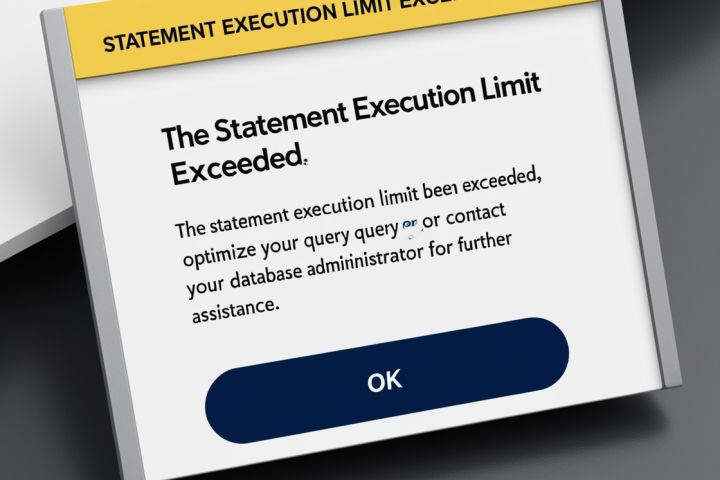
A very quick article on how to check what the statement execution limit is on the Zoho application you are working in.
Why?
Our use-case is that an application we built in Zoho Creator was hitting statement execution limits and rather than proposing an upgrade or add-on to the subscription plan; we wanted some proof using code.
How?
We're going to use a quick snippet of some code. So create a function in the Zoho App you are checking, or somewhere you can write some Zoho Deluge code.
Note that requesting an increase of the limit or an upgrade to the subscription will likely to have to be asked directly to Zoho rather than using the online subscription plan management section.

Zoho Deluge and Wordpress/WooCommerce API: Get All Products
- Category: Zoho Deluge
- Hits: 46824
A quick article on retrieving all the products from a WooCommerce instance on a client's Wordpress website.
Why?
A client of ours wants the information entered against products in their WooCommerce to display on their estimates in Zoho Books; such as product image, product name, product description.
Granted that in some cases, the design should go in the other direction, as in enter the products in Zoho Inventory and this feeds the website. More than often, however, this request comes in when the customer has already been setting their Zoho environment up and the Wordpress site has the more information.
How?
So first, this article shows you how to setup an API connection, and then we'll include the code to count the total number of products, and then finallly show the code to loop through all the pages to retrieve every product from the WooCommerce system.
Recent Posts



Joes Word Cloud
Accreditation



Donate & Support

 bc1qf6elrdxc968h0k673l2djc9wrpazhqtxw8qqp4
 0xb038962F3809b425D661EF5D22294Cf45E02FebF
Credit where Credit is Due:
Feel free to copy, redistribute and share this information. All that we ask is that you attribute credit and possibly even a link back to this website as it really helps in our search engine rankings.
Disclaimer: Please note that the information provided on this website is intended for informational purposes only and does not represent a warranty. The opinions expressed are those of the author only. We recommend testing any solutions in a development environment before implementing them in production. The articles are based on our good faith efforts and were current at the time of writing, reflecting our practical experience in a commercial setting.
Thank you for visiting and, as always, we hope this website was of some use to you!
Kind Regards,
Joel Lipman
www.joellipman.com