

I installed Business Intelligence Development Studio 2008 (BIDS) and connected it to a Team Foundation Server 2010 (TFS) instance and set my working local folder to my home directory. When the rest of my colleagues installed it however, they decided to use a common local directory for all workstations so configuration files would not need to be modified.
So?
Once installed, my BIDS install would continuously check-out files and store these in the home directory. I tried the general settings (Tools > Options) but to no avail.
How?
The way to change this was:
- Connect to your Team Foundation Server (for me this was already done)
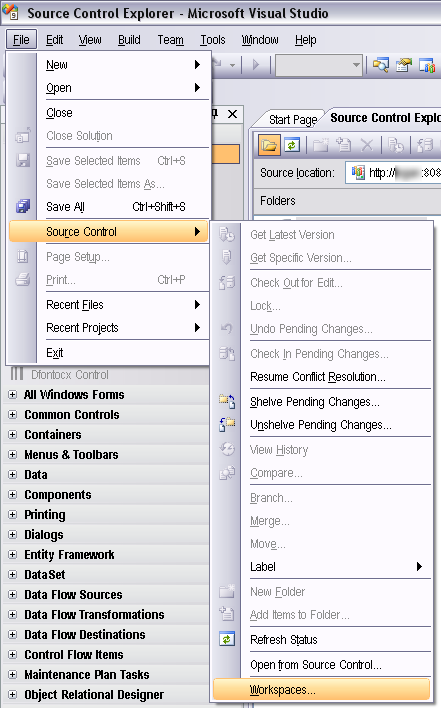
- Go to File > Source Control > Workspaces
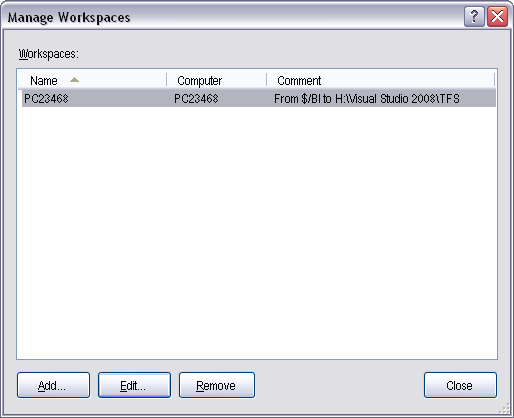
- Edit... the workspace which is causing the problem
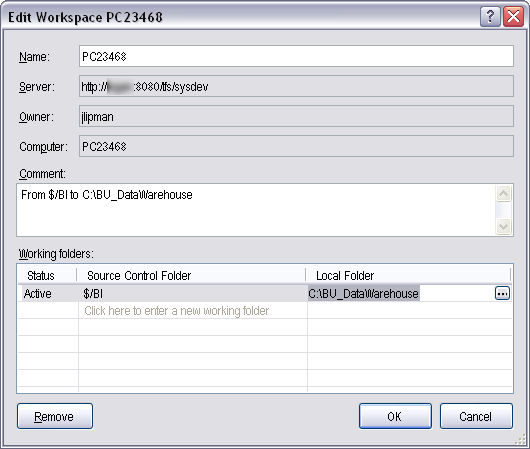
- Change the local folder
- All the files on TFS should copy over to your local folder; once done
- close the dialogs
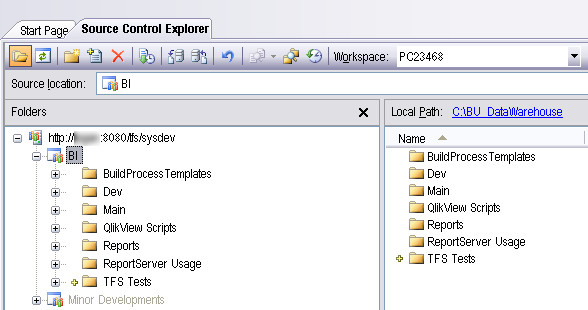
- click on the TFS icon in Source Control Explorer
- and check what it says next to "Local Path" (for me this said the name of the local folder that I specified just before)
Category: Team Foundation Server :: Article: 414











Add comment