

- FileZilla for Mac
- macOS High Sierra
A quick note to remind me how to enable FTP directory listing as it was working on my Windows PC but not on my Mac. The error I was getting was though I could access the folders if I browsed the existing folders by entering it in the remote directory field. Still no files or folders would show.
There's a good bit of information from the source link listed below but the settings didn't solve the problem. The solution was to change the options on the mac firewall by going into
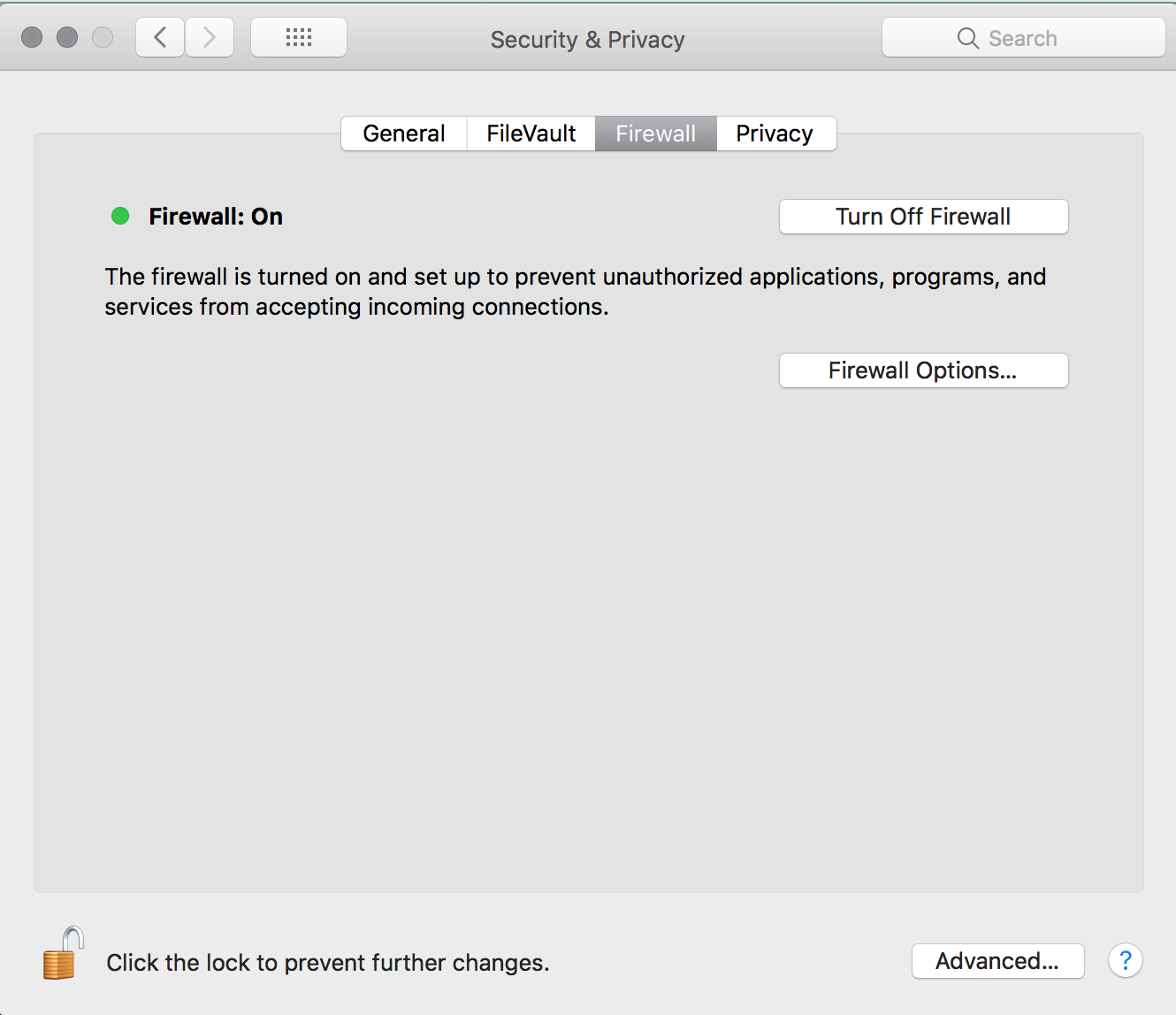
- Settings > Security & Privacy > Firewall
- Click the lock to make changes
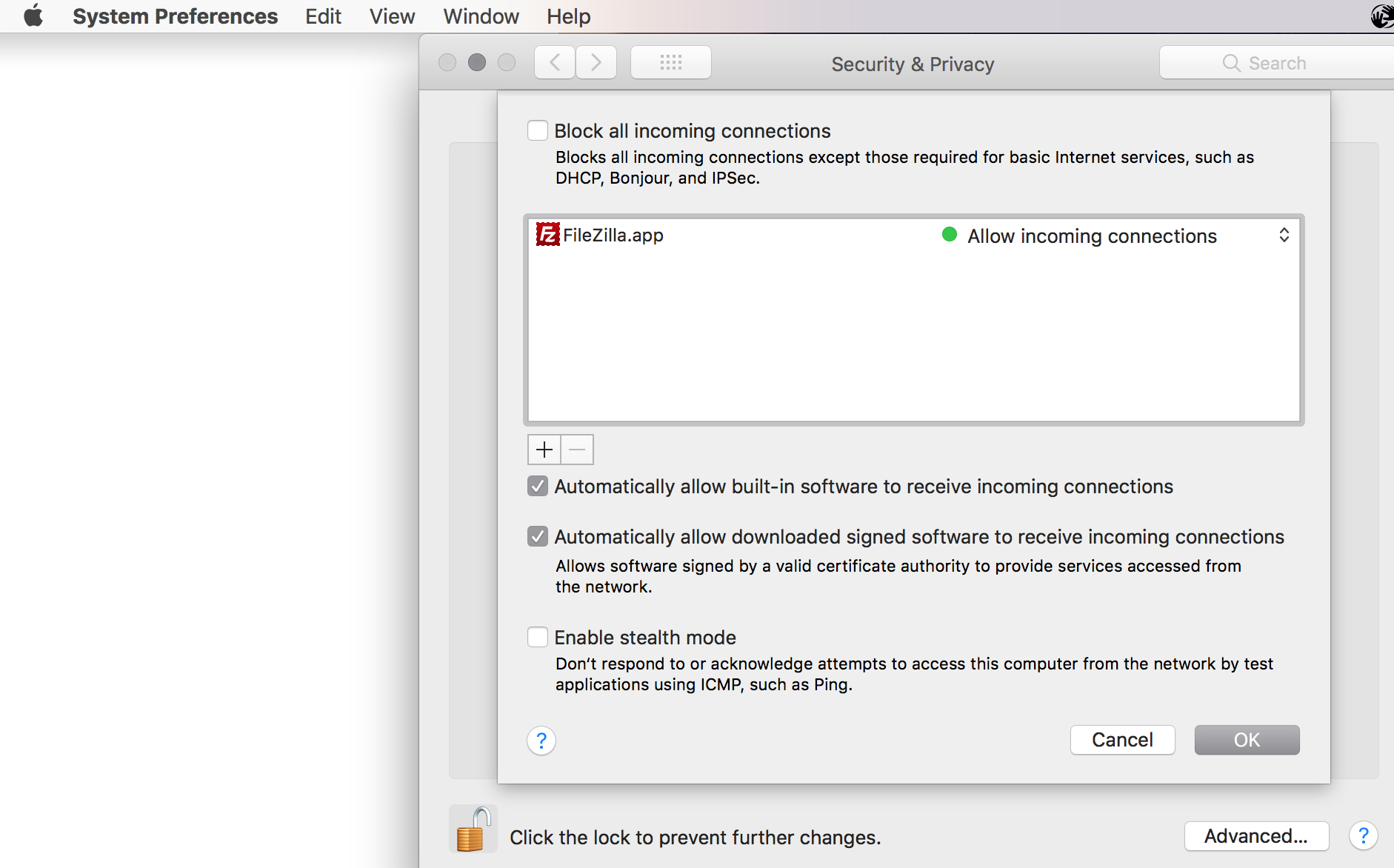
- Firewall Options
- Untick "Block all incoming connections"
- Leave the boxes ticked EXCEPT for "Enable Stealth Mode"
Helpful Links
- WireNine.com - Knowledgebase - How to fix failed to retrieve directory listing error in FileZilla FTP
- Cannot connect to work ftp server from mac
Category: File Transfer Protocol :: Article: 647











Add comment