
So this is a quick article to demo how to center an iframe horizontally and vertically in a screen/viewport in pure CSS (no JavaScript allowed). This CSS centers it by its center point rather than the top/bottom/left/right outline.
Why?
On a mobile, a client's site uses an external page embedded by iframe. When the app within the iframe has an alert message, it popups a div at the centre of its app. The alert message is always at the center of the iframe but if the iframe has a height of 2000 pixels, the iframe gets aligned to the top of the parent...
How?
We're going to use a touch of CSS and instead of determining heights and alignment with JS. The following code will work with DIV layers but in this case, also works on iframes:
HTML:
<html>
    <head>
        <title>Horizontally and Vertically Centered Iframe</title>
    </head>
    <body>
        <iframe src="https://www.joellipman.com/examples/html/modal.html" width="350" height="2000"></iframe>
    </body>
</html>CSS:
body {
    background:red;
}
iframe {
    position: fixed;
    top: 50%;
    left:50%;
    transform: translate(-50%, -50%);
}DEMO:
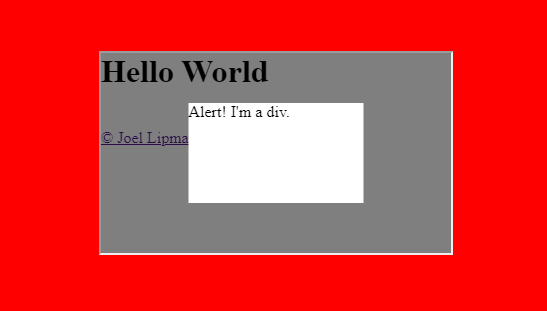
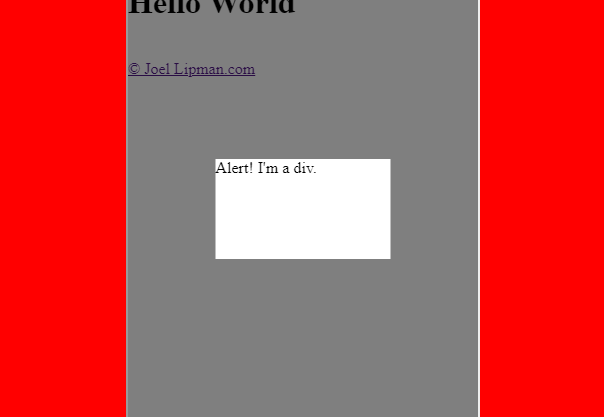
See my JSFiddle demo: https://jsfiddle.net/Jlipman/u5sew3ob/21
and modify the height of the iframe then click on 'Run'. The iframe is always centered even if the top is off screen.
Discussion
Comments
Questions, corrections and useful additions are reviewed before appearing here.
Discussion Newest first
No comments yet. Start the discussion.