
This article isn't unique as there are other tutorials out there. This is meant to detail a process to export a database using MySQL Workbench and then to import it into another database.
Why?
If you're confined to use this product then this is how to do it. Personally, even a web-based app such as PhpMyAdmin would fare better.
How?
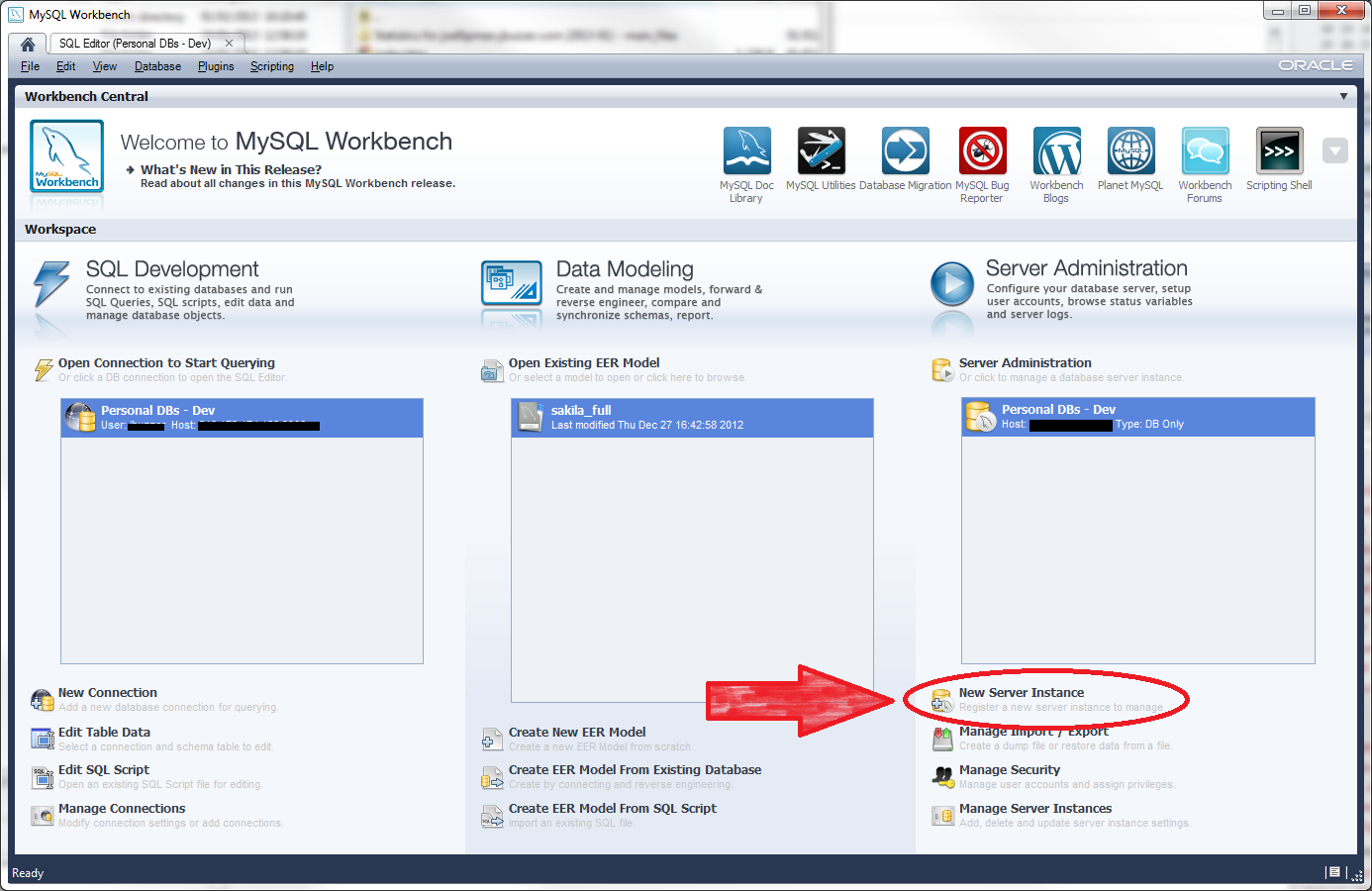
- So this is the HOME tab when you open MySQL Workbench. We're going to go on the basis that you already setup a connection to your database under the SQL Development section. Export/Import happens under the Server Administration section:
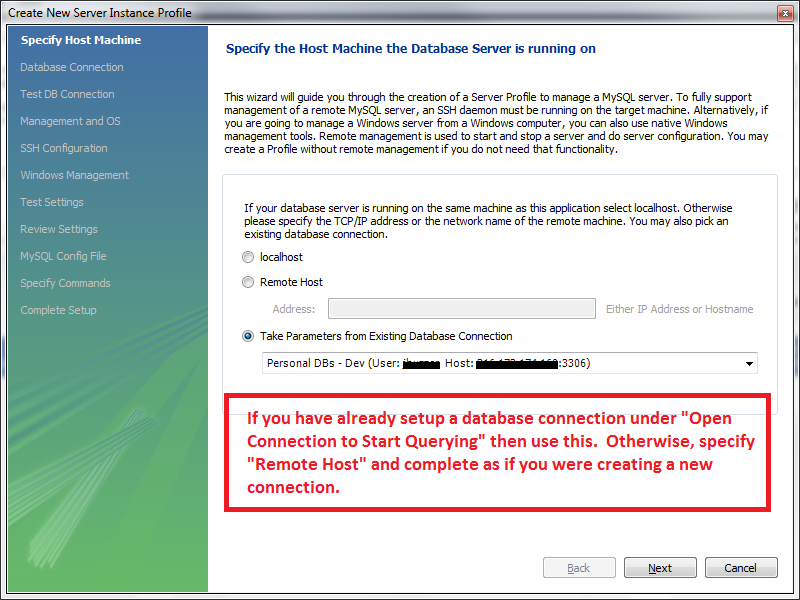
- Let's create a Server Instance, I'm going to specify the Take Parameters from Existing Database Connection option (note that I have obscured my personal settings in the following screenshot):
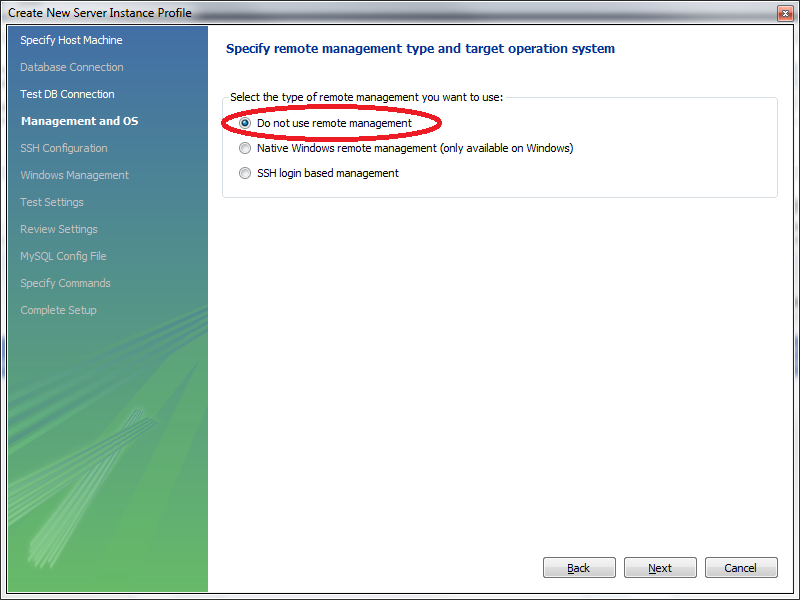
- In this screen, I've opted for Do not use Remote Management as I only want to export/import my database:
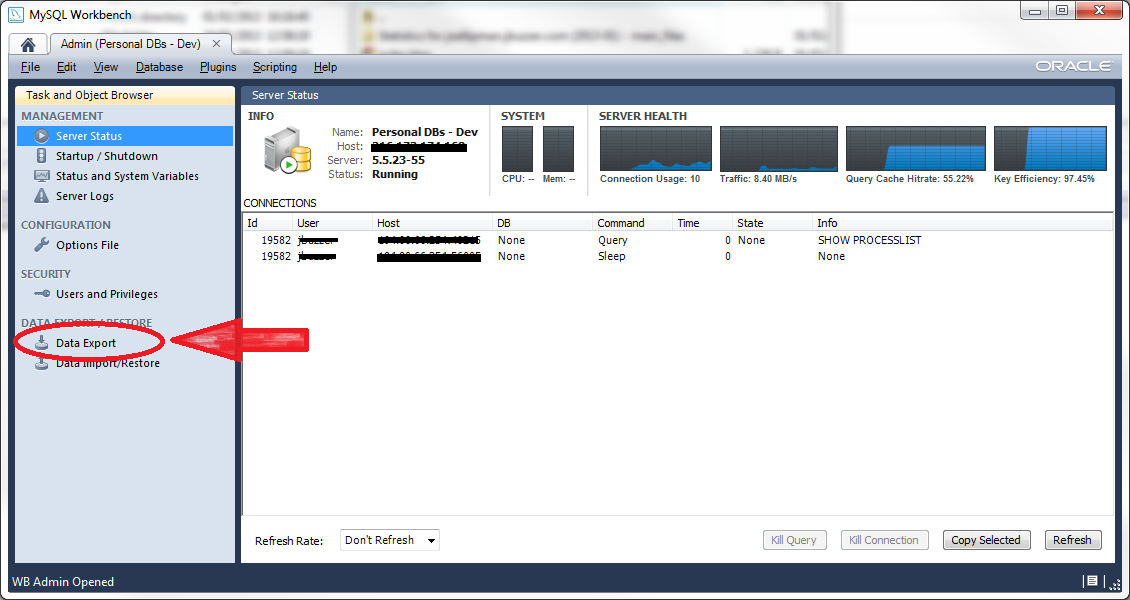
- Connected! Now click on Data Export in the left hand panel:
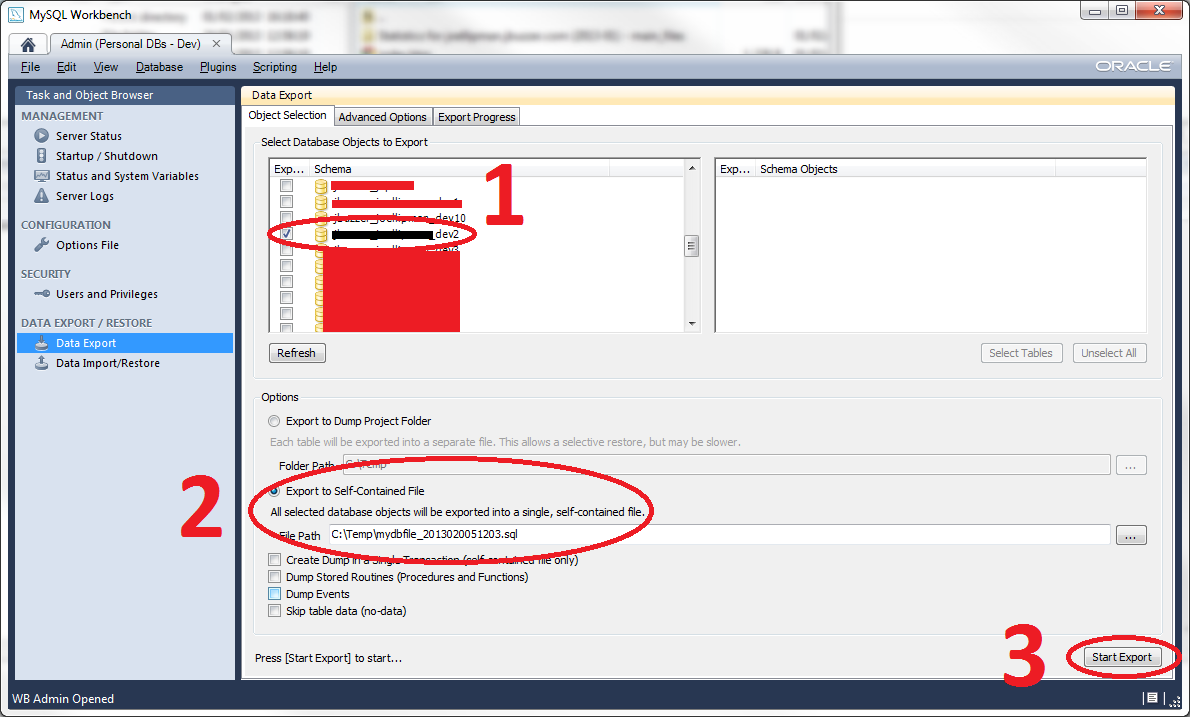
- In the screen that appears, select your database, specify to export to a Self-Contained File and click on Start Export:
Importing
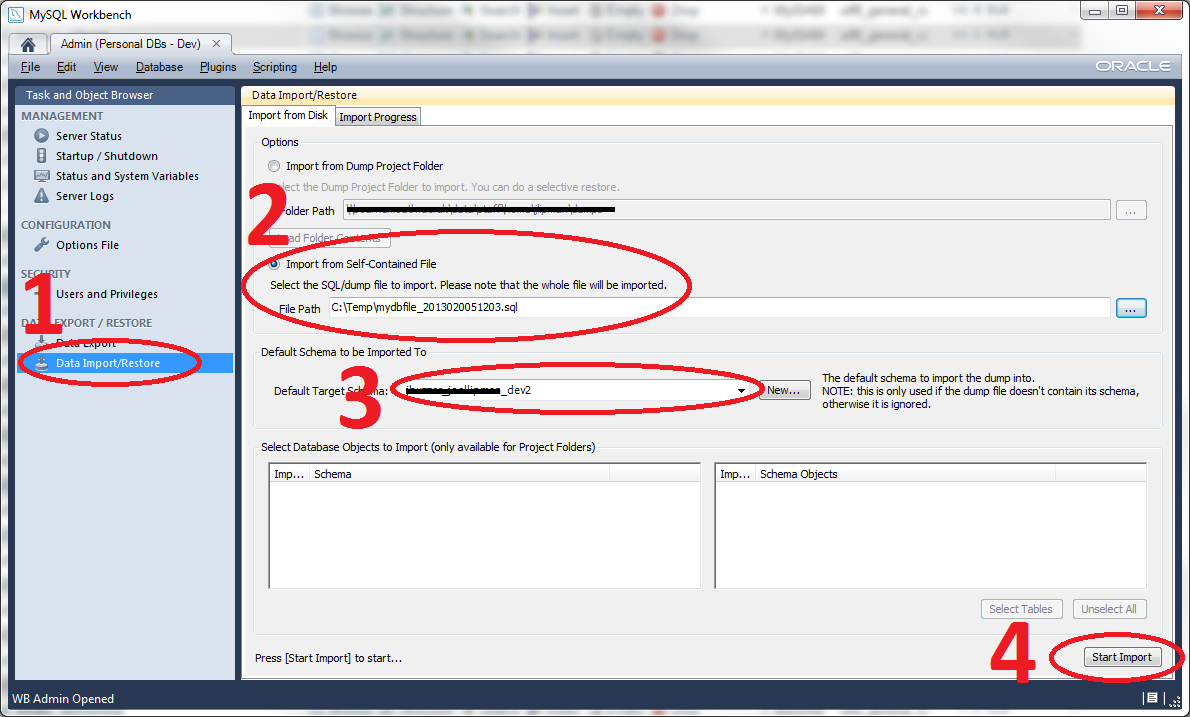
- Before importing a SQL file, check that nothing in it instructs it to use a specific database (otherwise you might overwrite your LIVE/production database). Click on the Data Import/Restore link in the left panel.
Hi Kingsley, This is for an old version of MySQL Workbench when it used to work for me. If you are following the above and getting an error (#2049), then please refer to my article mysqldump got error 2049 authentication protocol refused @[url]http://www.joellipman.com/articles/sql/mysql/mysqldump-got-error-2049-connection-using-old-pre-4-1-1-authentication-protocol-refused-client-option-secure-auth-enabled-when-trying-to-connect.html[/url]. I left this article here in case it works for others but MySQL Workbench is not recommended for production use. Joe.
Hello;
please which version of MYSQL WORKBENCH did you use for the tutorial?