
A quick article to display a value in a column in a widget in Zoho Analytics.
Why?
Because I keep forgetting how to do it.
How?
I've done this for a query that amalgamated all the deals against a deal owner and needed to repeat this for all the invoices against a sales person.
It adds to the effect on loading the page that a widget has clearly defined values based on the filters I select on a dashboard.
First you will need a table or query that has a bunch of columns and rows with one of the columns containing the sale person name. Something like the following:

With these kind of columns available to you:
- Click on Widget in the top right
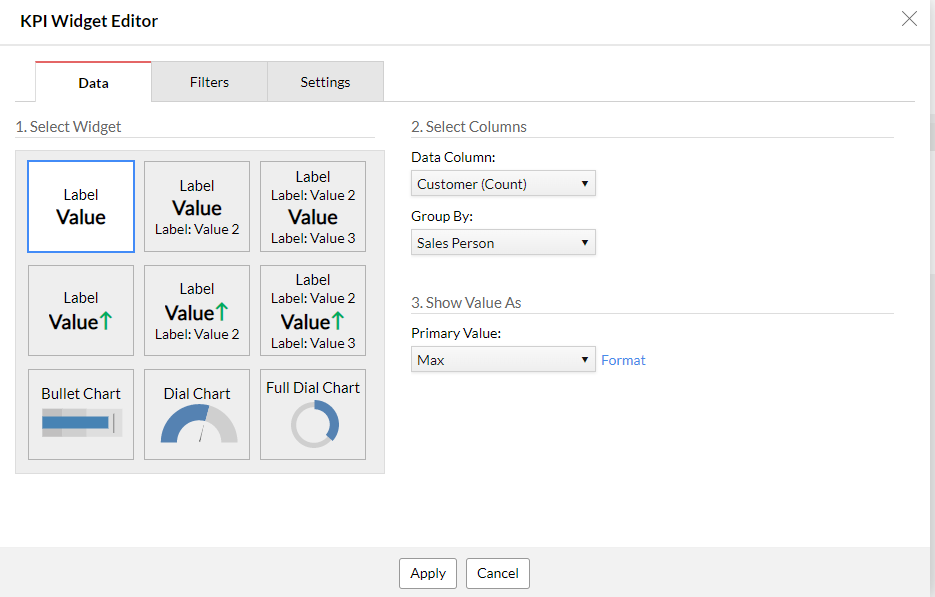
- Under "Data Column", select any field in your table/query which is not the one to display
- Under "Group By", select the field that has the value you want to display.
- Under "Show Value As", select Max
Then click on the "Settings" tab and do the following:
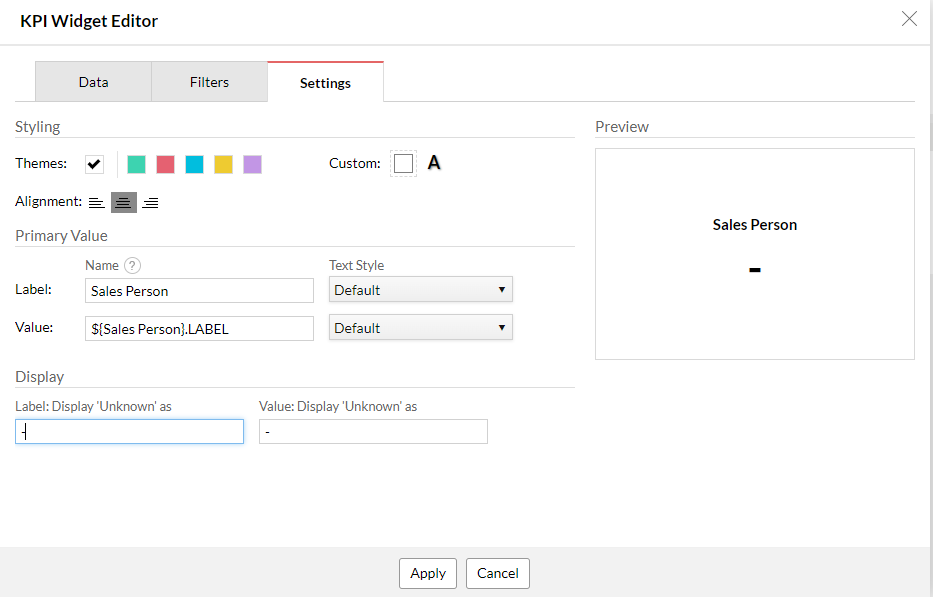
- Under Primary Value - Label, enter the static text you want to display above the sales person (eg. "Sales Person")
- Alongside the Value field, enter ${Sales Person}.LABEL
- Under Label: Display 'Unknown' as, enter a dash/hyphen to indicate not known.
- Click on the button Apply
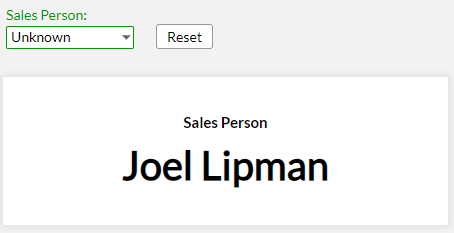
Then on the dashboard, if you map your user filter, this will produce a widget similar to the following (ignore my sales person filter "Unknown"):
Discussion
Comments
Questions, corrections and useful additions are reviewed before appearing here.
Discussion Newest first
No comments yet. Start the discussion.